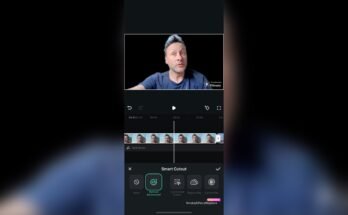
Clipping Videos: The Complete Guide to Creating Engaging Video Clips
Video content has become one of the most effective ways to capture attention online. Whether you’re a content creator, marketer, business owner, or casual user, clipping videos is a simple but powerful skill that helps transform long recordings into short, engaging highlights.
From creating viral social media posts to educational tutorials and promotional content, video clipping allows you to focus on the most valuable moments. In this guide, you’ll learn what clipping videos means, why it’s important, the best methods to do it, and practical tips for creating professional-looking clips.
What Is Clipping Videos?
Clipping videos is the process of selecting and trimming specific portions of a longer video to create a shorter, more focused clip. Instead of sharing an entire recording, you highlight only the most interesting, educational, or entertaining moments.
Common examples include:
- Short highlights from podcasts
- Gaming moments
- Sports highlights
- Product demonstrations
- Educational lessons
- Social media reels
- YouTube Shorts
- Customer testimonials
The goal is to make content easier to watch and more engaging for viewers.
Why Clipping Videos Is Important
Short-form video has become one of the most consumed types of online content. People prefer quick videos that provide value without requiring a significant time commitment.
Benefits of clipping videos include:
Increases Viewer Engagement
Short clips are easier to watch from beginning to end, resulting in higher completion rates and more interactions.
Improves Social Media Performance
Platforms like Instagram Reels, TikTok, Facebook Reels, and YouTube Shorts prioritize short, engaging videos that keep users watching.
Saves Time
Instead of asking viewers to watch a 30-minute video, you can deliver the key message in under one minute.
Boosts Brand Awareness
Businesses can use clipped videos to showcase products, customer reviews, tutorials, or behind-the-scenes content that attracts new customers.
Best Uses for Clipping Videos
Clipping videos works well across many industries and content types.
Content Creators
Creators often turn livestreams or long YouTube videos into multiple short clips to reach a wider audience.
Businesses
Companies use clipped videos for:
- Product launches
- Customer testimonials
- Advertisements
- Training materials
- Promotional campaigns
Educators
Teachers and online instructors clip lectures into smaller lessons that students can easily review.
Podcasters
Podcast hosts create highlight clips featuring memorable discussions to attract new listeners.
How to Clip Videos Effectively
Creating high-quality video clips doesn’t require professional editing experience. Follow these simple steps.
Choose the Best Moments
Look for sections that are:
- Informative
- Funny
- Emotional
- Surprising
- Educational
- Action-packed
These moments are more likely to capture attention.
Remove Unnecessary Content
Cut out:
- Long pauses
- Mistakes
- Repetitive sections
- Unrelated conversations
Keeping only the essential content makes your clip more engaging.
Add Captions
Many people watch videos without sound, especially on social media. Captions improve accessibility and increase watch time.
Use the Correct Format
Different platforms recommend different aspect ratios.
- Vertical (9:16) for Shorts, Reels, and TikTok
- Square (1:1) for some social platforms
- Landscape (16:9) for YouTube and websites
Popular Tools for Clipping Videos
There are many beginner-friendly editing tools available.
Some popular options include:
- Adobe Premiere Pro
- Final Cut Pro
- DaVinci Resolve
- CapCut
- Canva Video Editor
- Clipchamp
- iMovie
Many of these tools offer automatic trimming, subtitles, transitions, and templates that simplify the editing process.
Tips for Creating Better Video Clips
Keep It Short
Most successful clips range from 15 to 60 seconds, depending on the platform.
Start with a Strong Hook
Capture attention within the first few seconds by asking a question, showing an exciting moment, or presenting an interesting fact.
Maintain High Video Quality
Export videos in HD or higher to ensure a professional appearance.
Add Branding
Include your logo, colors, or watermark to increase brand recognition.
Include a Call to Action
Encourage viewers to:
- Watch the full video
- Subscribe
- Visit your website
- Follow your social media
- Share the clip
SEO Benefits of Clipping Videos
Clipping videos can also improve your digital marketing strategy.
Search engines increasingly prioritize multimedia content. By publishing optimized video clips with relevant titles, descriptions, and keywords, you can:
- Increase website traffic
- Improve user engagement
- Reduce bounce rates
- Gain more backlinks
- Enhance overall SEO performance
For even better results, include descriptive file names, keyword-rich titles, and relevant tags when uploading your clips.
Common Mistakes to Avoid
Many beginners make simple editing mistakes that reduce viewer engagement.
Avoid:
- Making clips too long
- Using poor audio quality
- Ignoring captions
- Cutting important context
- Overusing effects and transitions
- Uploading in low resolution
Clean, focused editing almost always performs better than flashy effects.
Conclusion
Clipping videos is one of the easiest ways to create engaging content for today’s digital audience. Whether you’re promoting a business, growing a YouTube channel, teaching online, or building a personal brand, short video clips help you reach more viewers and keep them interested.
Download
By selecting the most valuable moments, keeping clips concise, adding captions, and optimizing them for each platform, you can maximize both audience engagement and SEO performance. As video continues to dominate online communication, mastering the art of clipping videos is a valuable skill that delivers long-term results.